 ZoneFlow
How to Measure Your Irrigation Flow Rate With a Bucket
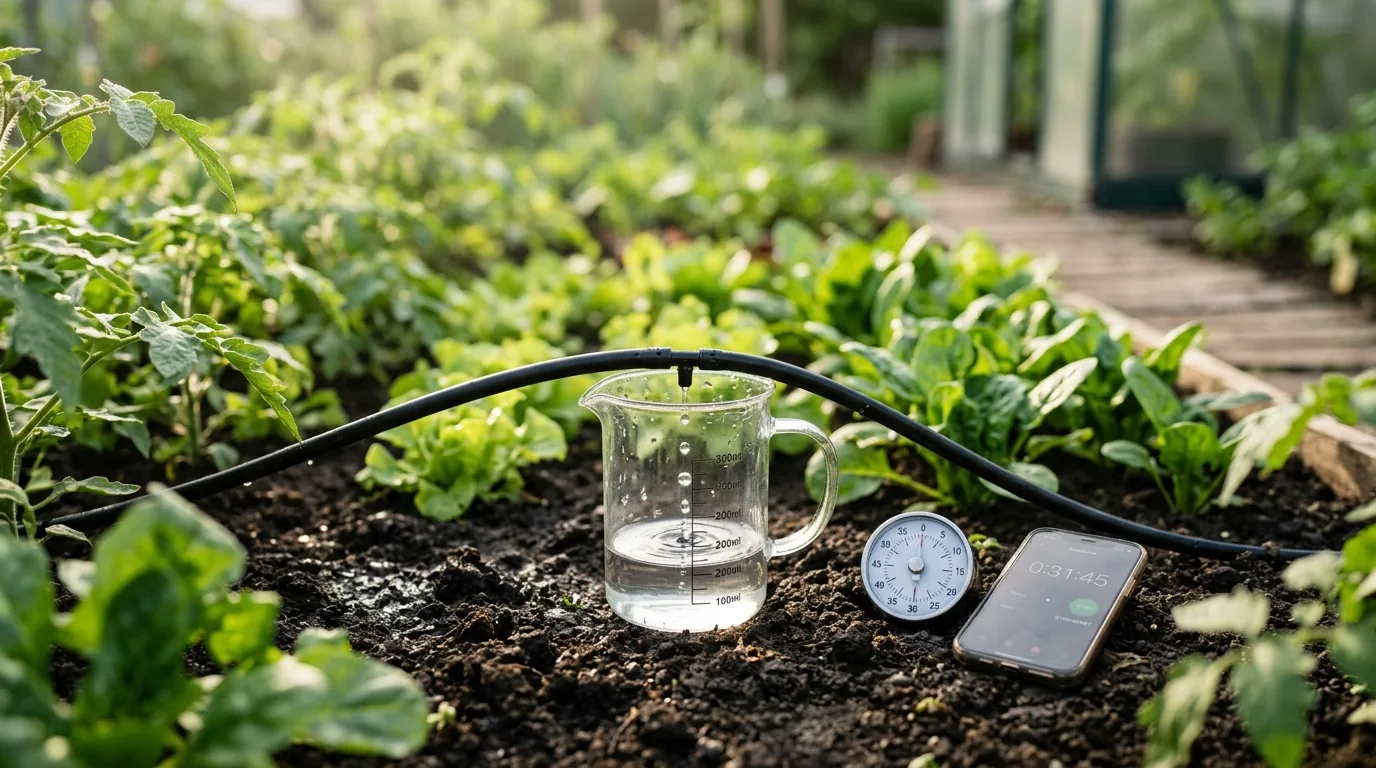
If you only set one number carefully in ZoneFlow, make it this one: how fast your system puts water on the ground.
ZoneFlow works out how long to run the valve from it. If the number is too high, your plants get less water than planned. If it's too low, they get more. Everything else in the setup can be roughly right and the watering will still be sensible, but this one needs to be real.
The good news is that you don't need any special equipment. A jug, a watch and a tape measure are enough. Here is how I would do it.
What the number means
ZoneFlow wants the flow rate in millimetres per minute. That is the depth of water your system puts on the soil each minute it runs. It sounds odd for drip lines, but it makes one number work for every kind of system, whether you have drippers, sprinklers or a soaker hose.
One litre of water spread over one square metre is exactly 1 mm deep. So if your zone delivers 160 litres in an hour over 20 square metres, that is 8 mm in an hour, which is about 0.13 mm per minute.
You don't have to do this sum yourself. In ZoneFlow, open the zone, go to Configure, then Flow rate, and it works it out from the numbers below. I'll show the maths once so you can see what it is doing.
If you have drip emitters
This is the easiest case.
- Pick four emitters. Choose some near the start of the line and some at the far end.
- Put a small jug or cup under each one. A kitchen measuring jug is perfect.
- Run the zone for 5 minutes with the zone's Service Run 5 min button. It opens the valve without counting as a watering. If the cups catch very little, run it for 10 or 15 minutes instead, using the Service Run 10 min or Service Run 15 min button (the 15 minute one needs ZoneFlow 1.6.3 or newer), or the Service Mode switch.
- Read how much water each cup caught, in millilitres, and take the average.
Divide the average by the number of minutes, multiply by 60 to get millilitres per hour, and divide by 1000 to get litres per hour. For example, 330 mL in 5 minutes is 66 mL a minute, which is 3,960 mL in an hour, so about 4 litres per hour for that emitter.
Now count how many emitters the zone has and measure the area they water with a tape measure (length times width). Type three things into Configure → Flow rate: how many emitters, how many litres per hour each, and the area. That's all.
If the cups from the far end of the line catch noticeably less than the first ones, the line has pressure loss or a clogged emitter. That is worth knowing, and worth fixing before you rely on the number.
If you have sprinklers
Sprinklers throw water around, so catching one nozzle doesn't tell you much. Use cans instead.
- Put five or more straight-sided containers around the area the sprinklers cover. Tin cans, glass jars or plastic cups all work, as long as the sides are straight.
- Run the zone for 15 minutes.
- Measure the depth of water in each container with a ruler, in millimetres, and take the average.
Multiply the average by 4 and you have millimetres per hour. Divide that by 60 and you have millimetres per minute, which is the number ZoneFlow asks for. For example, an average of 6 mm in 15 minutes is 24 mm per hour, or 0.4 mm per minute.
You can type that straight into the zone's Emitter Flow Rate Calibration setting.
If you can't catch the water
Sometimes the emitters are buried, or there are too many to count. Two other ways work.
- A household water meter. Make sure nothing else in the house is using water. Read the meter, run a service run of 5 to 15 minutes, and read it again. The difference is the litres your zone used. Divide by the number of minutes and multiply by 60 for litres per hour, then divide by the area in square metres. That gives millimetres per hour. Divide by 60 and type the result into the zone's Emitter Flow Rate Calibration setting.
- A flow meter on the zone. If you have added one to ZoneFlow, it can measure the rate for you with a 10-minute service run and set the number automatically.
Let an AI do the sums
If the maths puts you off, you don't have to do it. Write down what you measured and give it to any AI assistant. For drip, that is the millilitres each cup caught, how long you ran the test, how many emitters the zone has and the area in square metres. For sprinklers, it is the depth in each can and the run time.
Ask it for one thing: the flow rate in millimetres per minute. Then check the answer. It should land close to what you get from the sums above, and if it's out by a factor of ten or more, a unit got mixed up somewhere. If you set ZoneFlow up with an AI assistant, the AI setup guide already tells it how to work this out, so you can hand it the measurements there too.
A few things that catch people out
- Test it the way it normally runs. If the pump is shared with other zones in normal use, run it with the same pump and the same pressure. There is more on this in Several irrigation valves on one pump. A test with the tap only half open will give you a number that isn't real.
- Measure again if you change something. Adding emitters, extending a line or changing a filter changes the flow.
- Slow drip is fine, but check the safety limits. Very slow systems, below roughly 0.1 mm per minute, can need several hundred minutes for one watering. ZoneFlow has a safety limit on how long one watering can run, and the default may cancel a perfectly correct slow run. If that happens, raise the limit for that zone.
- Don't guess. ZoneFlow starts with a default of 0.24 mm per minute, and shows a reminder under Repairs until you change it. Drip lines are often slower than that and sprinklers often faster, so it is very unlikely to be right for you.
Units note: 1 inch is 25.4 mm, and 1 US gallon is 3.785 litres.
The short version
Catch the water, work out litres per hour, divide by the area, and let the Flow rate helper do the sum. Ten minutes once, and every watering after that is worked out from a number you measured yourself.