 ZoneFlow
ZoneFlow 1.6 adds greenhouse climate control
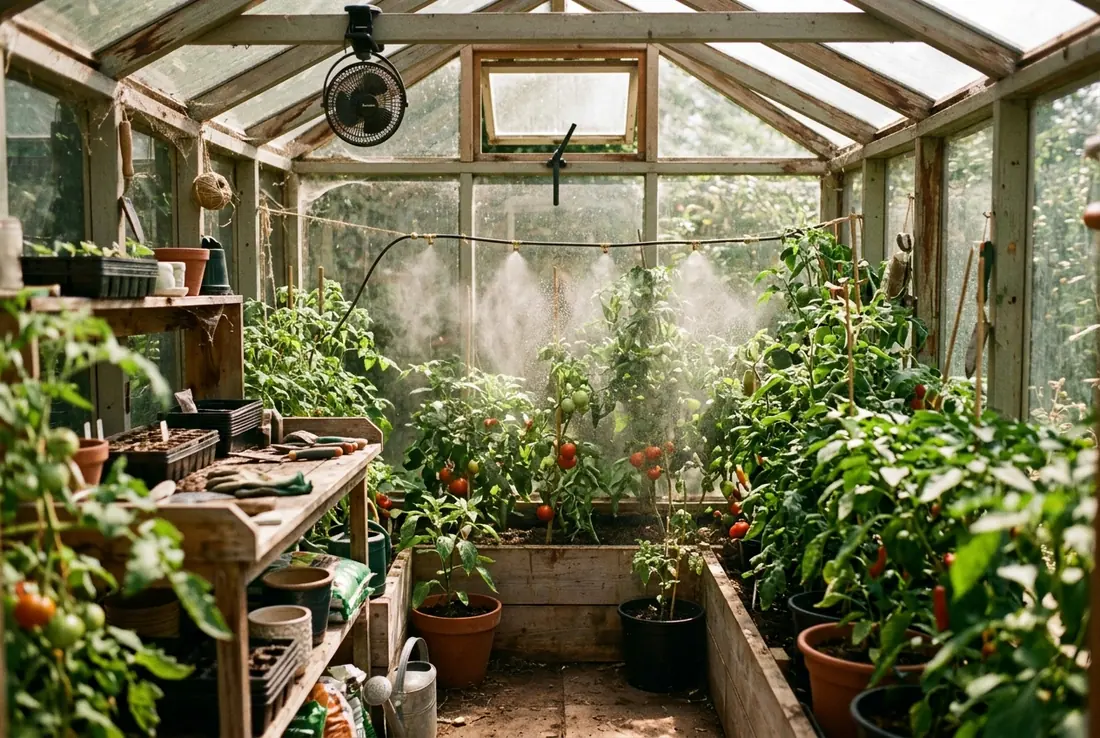
Until now ZoneFlow only knew about the outside world: rain, sun, a forecast, a tap that opens and closes. A greenhouse breaks most of that. There is a roof, so no rain. The air can go from pleasant to 40 °C in an hour. And what kills plants in there is usually not a missed watering, it is a closed vent on a hot afternoon.
So version 1.6, which is nearly finished, teaches ZoneFlow to look after the air as well as the water.
Three kinds of zone
When you add a zone you now choose where it grows: outdoor, greenhouse or indoor. Outdoor is exactly what you have today, and every existing zone stays outdoor. Nothing moves and nothing gets renamed. If you change your mind later you can switch the type under Configure and nothing is deleted. Settings that don't apply to a zone simply hide until they do.
Greenhouse and indoor zones lose the rain gauge and the forecast, since there is a roof, and get a climate section instead.
Indoor is for any closed growing space that needs the same looking after: a grow tent, a basement or garage setup, a spare room full of seedling shelves, a small indoor farm with lights and fans. It runs on the same climate rules as the greenhouse, so the heater warning further down applies there just as much.
What it can switch
Fans, vents, misters and a heater, as many of each as you have. They can be plain switches, input booleans, fans, covers (the motorised vent openers), valves for the misters, or a climate entity for the heater. A space heater on a smart plug counts. The watering valve is optional now too, so a zone with a fan and a heater and no watering at all is fine.
The one thing ZoneFlow insists on is an inside temperature sensor. Humidity, light and an outside temperature sensor are optional, and each one unlocks something: venting on humidity, misting on humidity or light, and the outside check below.
How it decides
Every 30 seconds, and whenever a sensor changes, ZoneFlow looks at the inside readings. Below the heater setting (10 °C by default for a temperate climate) the heater comes on, and while it is heating the vents and fans stay shut so they never work against each other. Above the vent setting (25 °C) the vents open, and at 28 °C the fans join in. High humidity opens things up as well, unless that would chill the space or the heater is running. The climate you pick at setup fills in the starting numbers, and you can change all of them from the dashboard.
The outside check is the part I would point at. Vents and fans only open when the air outside is cooler than the air inside. On a hot afternoon, opening the vents just lets in hotter air, so ZoneFlow keeps them shut and says why in the status. Without an outside sensor the check is skipped and it goes by the inside readings alone.
Misting is the careful one. It runs in short pulses, ten seconds on and two minutes off by default, when temperature, humidity or light says it should. It won't mist below 18 °C, above 85 % humidity, in frost, while the heater is on, or at night unless you allow it, and an hourly cap of 10 minutes is a hard limit. Every pulse is checked to have actually ended. If a mister refuses to switch off, ZoneFlow tries once more, then stops misting and sends you a message until you reset it.
When a sensor dies
Everything above depends on the inside temperature, so the failure case got the most thought. If the sensor becomes unavailable, goes quiet for four hours (you can change that), or reports something impossible, ZoneFlow switches to a failsafe after two minutes. Misters go off. Vents and fans do what you chose: open and run, close, or stay as they are. The heater can stay off, or run ten minutes in every twenty, optionally only while it is cold outside. You get a phone message when the failsafe starts and another when it ends.
You can also add backup inside sensors. If the main one stops, ZoneFlow carries on with the first backup that works and tells you. If the main sensor and a backup disagree by more than 5 °C for half an hour you hear about that too, because one of them is wrong.
If you flip a switch yourself
Walk in, turn the fan on by hand, and ZoneFlow will not switch it off a minute later. A device you operate yourself, in Home Assistant, with a wall button or in its own app, is left alone for an hour by default, and the status tells you that is why.
What it will not do
A heater controlled from Home Assistant is convenient, not a safety system. If Home Assistant crashes or the Wi-Fi drops, ZoneFlow cannot help. If you have a heater, put a hardware frost thermostat in its power line, or use a heater with its own thermostat and over-temperature cut-out, and place a backup temperature sensor at the other end of the greenhouse, at plant height, away from direct sun and away from the heater and vents.
If losing the climate for a night would cost you the crop, one Home Assistant machine is not enough on its own. Keep a second small computer, a Raspberry Pi is plenty, set up as a standby that can take over if the main one dies. ZoneFlow does not do that switch-over by itself, you arrange it, and the hardware thermostat above stays as the last line of defence either way.
Some things are also not in 1.6: vents that open in steps as it gets warmer, fan speeds, dehumidifiers, shade screens and CO2. Vents are open or closed, and a vent cover that supports positions opens to a fixed percentage you set.
Where it stands
The climate logic has its own set of automated tests, and the whole thing has been run on a test Home Assistant through a hot spell, a cold night, a sensor dying and coming back, and misting. The full suite is at 650 tests. All the new texts exist in the 19 languages, but they are machine translated, so if your language reads oddly, tell me and I will fix it.
A full greenhouse guide goes up with the release.